-
Shop
- Adidas
- Advanced Technologies
- Apple Accessories
- Armani Fashion
- Arts, Crafts & Hobbies
- Beauty & Skincare
- Best-Sellers
- Calvin Klein Fashion
- Car Accessories
- Dating & Social Skills
- Drones
- Education & Learning
- Electronics
- Emotional Intelligence
- Family & Parenting
- Fashion
- Alexander McQueen Fashion
- Bags
- Bags & Wallets
- Balenciaga Fashion
- Belts
- Blazers
- Blouses & Shirts
- Bottega Veneta Fashion
- Bottoms
- Brunello Cucinelli Fashion
- Burberry Fashion
- Chanel Fashion
- Chloé Fashion
- Dior Fashion
- Dolce & Gabbana Fashion
- Dresses
- Etro Fashion
- Fendi Fashion
- Gucci Fashion
- Hats & Hair Accessories
- Hoodies & Sweatshirts
- Jacquemus Fashion
- Jewelry
- Jil Sander Fashion
- Jimmy Choo Fashion
- Kiton Fashion
- Luggage
- Luggage Bags
- Men's Fashion
- Miu Miu Fashion
- Off-White Fashion
- Outerwear
- Prada Fashion
- Rick Owens Fashion
- Saint Laurent Fashion
- Scarves
- Shoes
- Skirts
- Socks & Tights
- Sunglasses
- Sweaters & Cardigans
- The Row Fashion
- Tom Ford Fashion
- Tops & Shirts
- Trousers
- Valentino fashion
- Valentino Garavani Fashion
- Versace Fashion
- Vivienne Westwood fashion
- Watches
- Fashion Accessories
- Finance & Career
- Fitness & Movement
- Gadgets
- Gift Ideas
- Gifts
- Guess Fashion
- Health & Beauty
- Health & Wellness
- Home & Garden
- Home & Lifestyle
- Home Supplies
- Hormone & Women’s Health
- Kids & Babies
- Massagers
- Mindset
- Mindset & Personal Growth
- Nike Fashion
- Nutrition & Healthy Eating
- Patio, Lawn & Garden
- Personal Growth
- Pet Care
- Pet Supplies
- Pets
- Productivity
- Relationships & Social Confidence
- Samsung Accessories
- Self-Care & Mental Well-Being
- Sleep & Rest
- Sport
- Sport & Outdoors
- Style & Fashion
- Summer 2025 Fashion Collection
- Super Deals
- Tesla Accessories
- Tommy Hilfiger Fashion
- Travel
- Travel & Outdoors
- Video Games
- Wealth
3-in-1 MagSafe Charger Stand + LED Light for Apple Gear
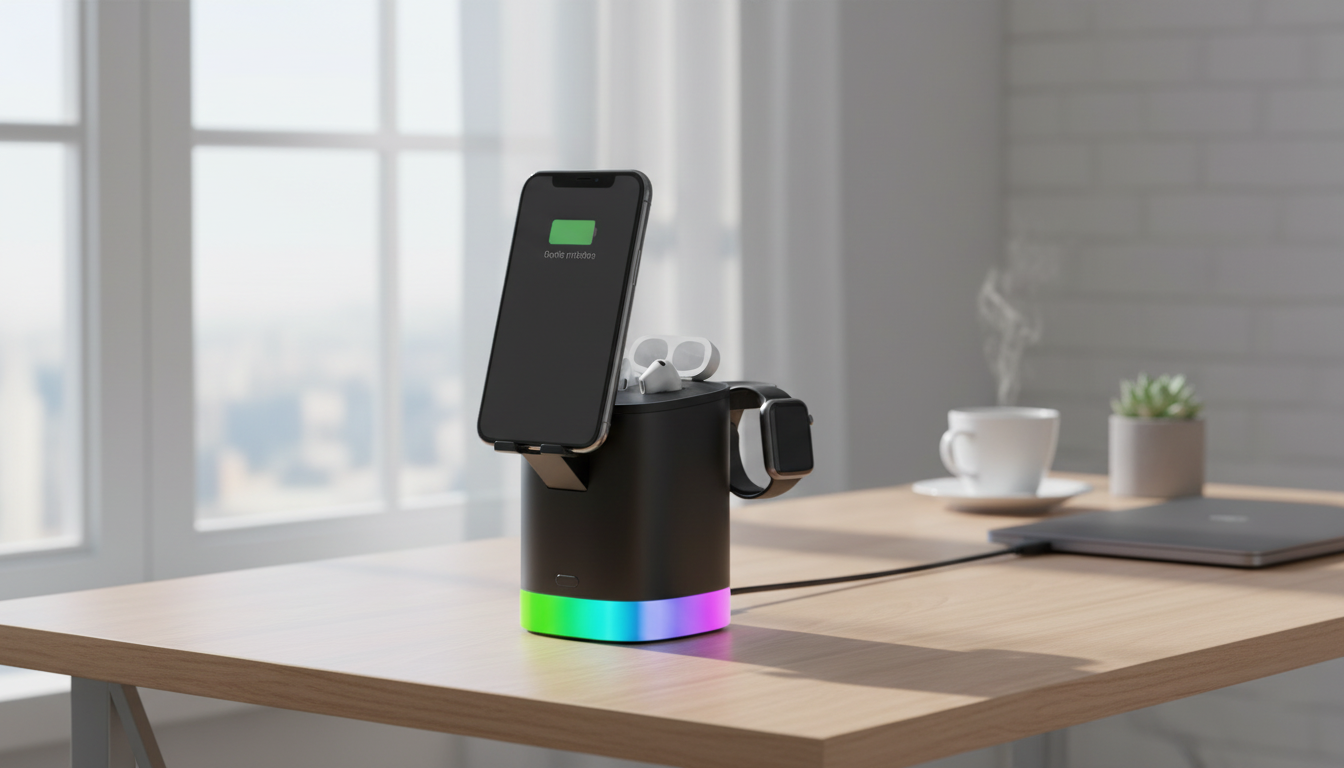
A 3-in-1 Charging Station That Keeps Your Apple Devices Together
A tidy nightstand or desk setup gets easier when your iPhone, Apple Watch, and AirPods charge in one consistent spot. A 3-in-1 magnetic wireless charger stand consolidates daily charging into a single footprint, and the built-in LED light adds a practical bonus—soft illumination when you want to check the time, grab your phone, or see what you’re doing without flipping on overhead lights.
For iPhone models that support MagSafe-style alignment, the magnetic mount helps center the phone for steadier wireless charging and a comfortable viewing angle. If you use StandBy mode, alarms, timers, or quick FaceTime calls, the upright position can make the charger feel like part of your everyday routine instead of just another accessory.
What This Charger Stand Does
- Charges up to three compatible Apple devices from a single stand: iPhone (MagSafe-style magnetic alignment), Apple Watch, and wireless-charging AirPods/AirPods Pro case.
- Magnetic phone mount keeps the iPhone aligned for stable charging and easy viewing for alarms, calls, or StandBy mode.
- Integrated LED light provides soft illumination for nighttime use or focused desk lighting.
- Reduces cable sprawl by consolidating charging into one footprint.
Because wireless charging depends on alignment between charging coils, magnetic placement can be the difference between “it’s charging” and “it looked like it was charging.” For an overview of how MagSafe works with compatible iPhone models, Apple’s reference is helpful: Apple Support: About MagSafe for iPhone.
Best Places to Use It
- Nightstand: Use the LED light for quick visibility without turning on overhead lighting.
- Home office desk: Keep your phone upright for notifications while it powers up.
- Entryway drop zone: Create a single spot for daily essentials so devices don’t get left behind.
- Dorms and small spaces: Minimize cords and adapters around limited outlets.
If you’ve ever rotated chargers between rooms—or found your watch on one outlet and your phone on another—having a dedicated “landing spot” makes mornings smoother and keeps devices from getting scattered around the house.
Key Features to Look For in Daily Use
- Magnetic alignment strength: A steadier attachment helps prevent partial charging due to misalignment.
- Stable base and weight balance: Less wobble when tapping the screen or placing devices on the stand.
- Thoughtful device spacing: Helps keep the watch band and earbuds case from bumping into the phone area.
- LED light controls: Simple on/off or brightness modes are more comfortable at night.
- Cable management: A clean rear cable path keeps the setup looking minimal.
At-a-Glance Setup Benefits
| Need | How the stand helps | Where it matters most |
|---|---|---|
| Fewer cables | One charging station replaces separate chargers | Nightstand, office desk |
| Reliable phone placement | Magnetic alignment keeps the coil lined up | StandBy mode, calls |
| Quick visibility at night | Built-in LED light provides gentle illumination | Bedroom, nursery |
| Grab-and-go routine | Devices stay in one consistent spot | Entryway, morning rush |
Compatibility and What to Confirm Before Buying
- iPhone: Works best with MagSafe-compatible iPhone models or MagSafe-compatible cases. Thick or non-magnetic cases may reduce hold and charging consistency.
- Apple Watch: Designed for Apple Watch charging—confirm the watch generation and charging interface match the stand’s watch charging area.
- AirPods: Requires a wireless-charging capable case (not all older cases support Qi charging). Apple’s overview of AirPods charging options is here: Apple Support: Charge AirPods.
- Power adapter requirements: Many multi-device stands perform best with a higher-watt adapter (often not included). Check recommended input specs on the product page.
- Device heat and charging speed: Wireless charging can run warmer than cable charging; allow airflow and avoid covering devices while charging.
If you’re unsure whether your AirPods case supports wireless charging, looking for “Qi” compatibility is a good checkpoint. The Wireless Power Consortium maintains details on the Qi standard: Wireless Power Consortium (Qi).
Simple Setup and Daily Routine
- Place the stand on a flat surface where the phone can be reached without tugging the cable.
- Connect the stand to a suitable power adapter, then confirm each zone charges one device at a time before loading all three.
- For iPhone: Attach magnetically and ensure the charging indicator appears; if alignment is inconsistent, try a MagSafe-compatible case or remove an extra-thick case.
- For Apple Watch: Rest the watch on the designated watch charging area and confirm it seats correctly.
- For AirPods: Center the case on the wireless pad so the indicator light confirms charging.
- Use the LED light as a low-glare option for checking time, alarms, or locating items on a nightstand.
Care, Safety, and Performance Tips
Product Spotlight: 3-in-1 Magnetic Wireless Charger Stand with LED Light
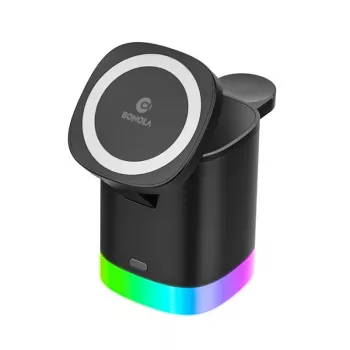
If the goal is a single, everyday charging hub that looks clean on a nightstand while adding gentle light, the 3-in-1 Magnetic Wireless Charger Stand with LED Light for Apple Devices is designed for exactly that routine: iPhone + Apple Watch + AirPods in one place, with an LED light integrated into the stand.
Quick Details
| Item | Details |
|---|---|
| Product | 3-in-1 Magnetic Wireless Charger Stand with LED Light for Apple Devices |
| Price | 47.49 USD |
| Availability | In stock |
More In-Stock Picks
FAQ
Will it charge through a phone case?
Most MagSafe-compatible and thinner cases charge reliably. Very thick cases or non-magnetic cases can weaken the magnetic hold and may reduce charging consistency.
Do all AirPods cases work on the wireless pad?
Only AirPods or AirPods Pro cases that support wireless charging (Qi) will charge on a wireless pad. Older or non-wireless cases will need a cable to charge.
Does it come with a power adapter?
Check the product page for what’s included in the box. Many multi-device wireless stands perform best with a higher-watt USB power adapter, which is sometimes sold separately.
Recommended for you

Was this article helpful?
Yes
No








Leave a comment